Your prepaid meter says REJECT — what it means and how to fix it
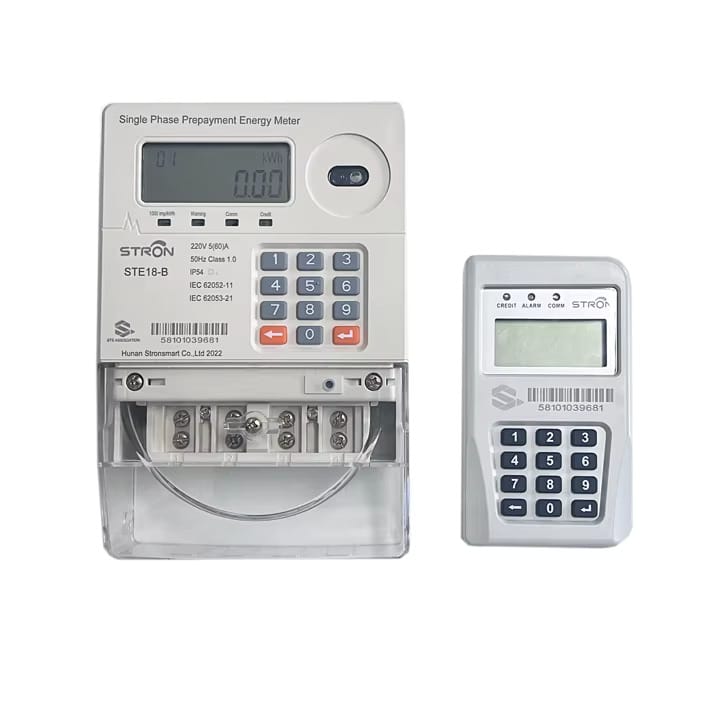
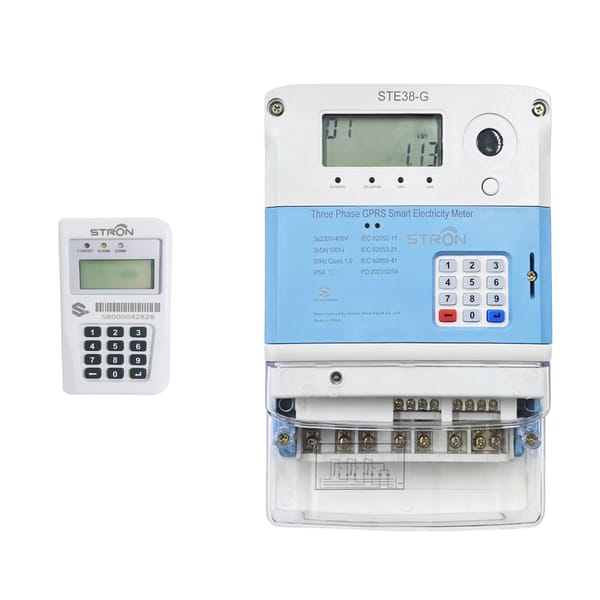
REJECT means the meter has read all 20 digits successfully and decided the token was not generated for it. The token is real, but it belongs to a different meter, or to a version of your meter's software that no longer exists. Almost always this is a vending problem, not a fault in the meter. Check the meter number on your receipt against the number on the meter itself — that single check resolves most cases.
Now the longer version, because there are four or five ways this happens and they need different fixes.
What the meter is actually doing
Prepaid meters in Nigeria follow an international standard called STS. Under that standard, a token is exactly 20 digits, and every token is encrypted against one specific meter using a key stored inside that meter. When you type a token in, the meter decrypts it. If the result makes sense, it credits the units. If it doesn't, it tells you so.
REJECT is the meter saying the decryption produced nothing valid. It is not saying the token is fake, and it is not saying the meter is broken. It is saying this token was not made for me.
That distinction matters, because it tells you where to look. The problem is almost never inside the meter. It is in what happened when the token was generated.
The causes, in order of how often they happen
1. The token was vended to the wrong meter number
This is the overwhelming majority of cases. One digit typed wrong at the point of purchase, or a saved meter number in a vending app that belongs to a previous property, and the platform generates a perfectly valid token for somebody else's meter.
Compare the meter number printed on your purchase receipt with the number physically on the meter. Not the number you remember — the number on the device. If they differ, the token cannot be recovered by retrying; it has to be reversed and re-vended by whoever sold it to you.
2. Your meter is still on old software
Prepaid meters worldwide went through a software transition in November 2024, referred to as the TID rollover. Meters that were not updated stopped accepting new tokens, because the vending systems moved on and the meters did not.
The fix is a pair of special reset tokens, called Key Change Tokens, which your DisCo issues free of charge. They are longer than normal tokens and are loaded one after the other. If your meter has been rejecting every token since late 2024 regardless of where you bought them, this is very likely your problem.
3. The meter was never activated
New installations sometimes get handed over before the DisCo has registered the meter in its own system. The meter is physically fine, it powers up, the keypad works, but it exists nowhere in the vending database — so no token generated anywhere in the country will match it.
You will usually recognise this because the meter has never accepted a single token since it was installed. It needs to be activated at the DisCo with your meter number, installation slip, and ID.
4. You are reusing a token
Every token can be loaded exactly once. If you re-enter one you have already used, the meter rejects it. This sounds obvious, but it comes up constantly when several people in a household are all trying to help.
5. Genuine entry error
Twenty digits is more than most people can transcribe reliably. Enter it slowly, once, without pressing anything else in between.
What to do, in order
- Read the meter number off the physical meter. Write it down.
- Compare it to the receipt. If they don't match, stop — you need the vendor to reverse and re-vend. No amount of retrying will help.
- If they match, re-enter the token once, carefully.
- Check whether the meter has ever accepted a token. Never accepted one at all points to activation. Stopped accepting them at a specific point in time points to the rollover.
- Call your DisCo with the meter number, the token, and the receipt. Have all three ready before you call, or you will be asked to call back.
The related messages
Meters also show INVALID or FAILED. INVALID generally means the digits themselves didn't parse as a token — usually a typing error. FAILED tends to indicate the meter couldn't complete the operation, sometimes because of a communication problem between the keypad unit and the meter body. Error numbers vary between manufacturers, so the code on a Hexing meter and the code on a Conlog meter do not necessarily mean the same thing. Your DisCo can interpret the specific one.
When this becomes somebody else's problem
Everything above assumes you have your own meter and your own relationship with a DisCo. In a block of flats on a single shared meter, none of it applies — you don't have a token, you don't have a meter number, and your electricity cost is a fraction of somebody else's bill calculated by someone with a notebook.
That is the part Truvend removes. Each unit gets its own prepaid sub-meter, its own balance, and its own top-up, so the worst that can go wrong is a problem you can actually solve yourself.